
1 Sign in
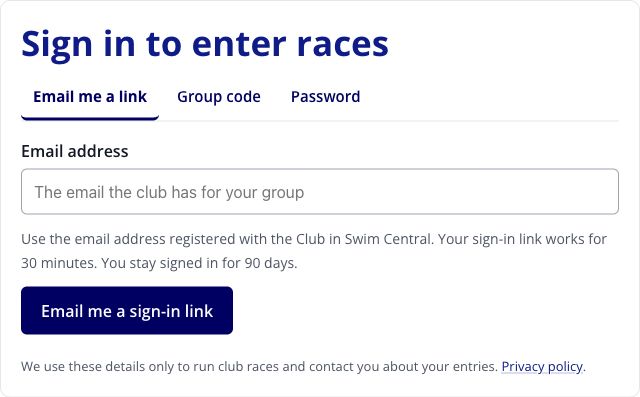
First time? Use your Swim Central email address and select Email me a sign-in link. Open the link in your email. Check junk if it doesn’t arrive.
Which sign-in option should I use?
Email me a link: no password needed. The link works for 30 minutes.
Group code: enter the code provided by the Club for quick access. What’s a group code?
Password: use your email and the password you set under Account → Password (optional). This is separate from your Swim Central password.
What is a group code and where do I find it?
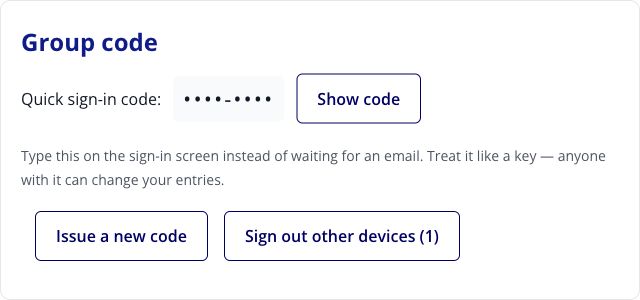
A group code is your shortcut to sign in to Race Entry and manage entries for the swimmers in your account.
Sign in using an email link. Open Account, find Group code, then select Show code.
Keep it somewhere safe. Anyone with the code can change your group’s entries.
2 Choose races
Open the race day. Tick races under each swimmer’s name — yourself and any children you’re entering. On a phone, scroll across to see everyone.
Someone in your group not coming this Saturday? Tick Not attending under their name. Coming along to help rather than swim? Tick Volunteering only. Either one clears that swimmer’s races for the day.
If nobody in your group is racing, tick Our group is not racing this Saturday at the top instead — it also stops that week’s reminder email.
Show family entry example
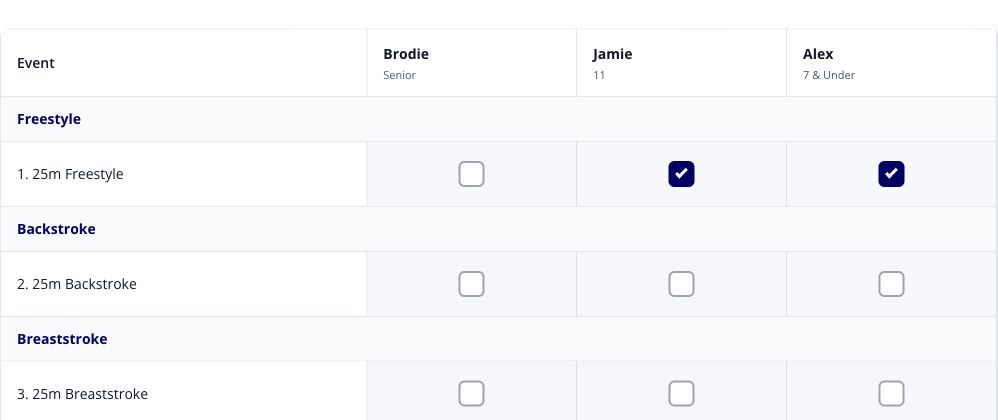
Example only. Your swimmers and races may differ.
Show not attending and volunteering example
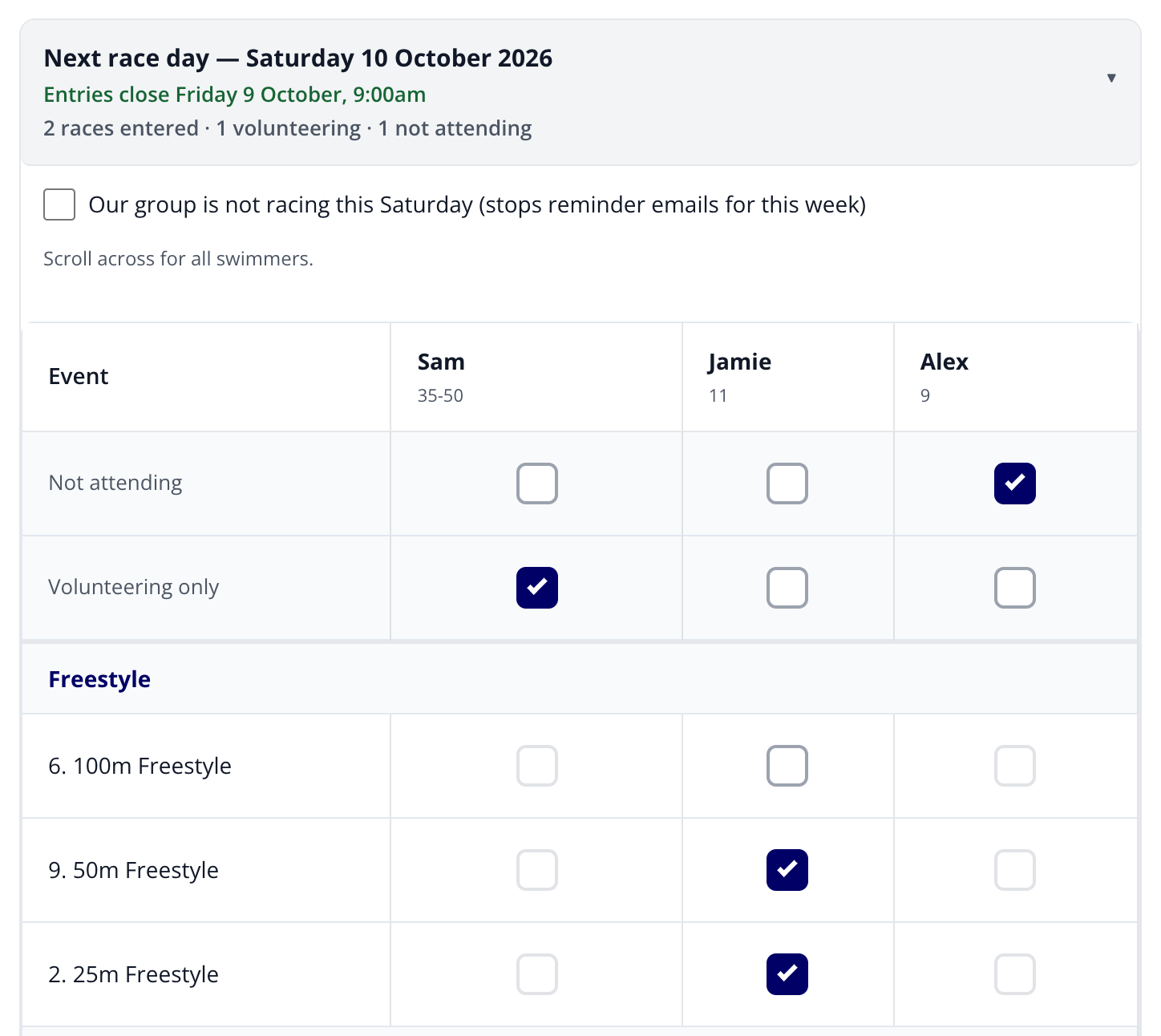
Example only. Your swimmers and races may differ.
3 Save your entries
Select Save entries beneath the races. Wait for Saved. Ticking boxes alone does not submit an entry.
To change or withdraw entries, tick or untick the races and save again before the closing time shown.
Need a hand?
Swimmer missing or trouble signing in? Email swimming@pm.org.au. Update contact details in Swim Central.